
1. Create Lightning Web Component barChartComponent
2. Add canvas element inside barChartComponent.html
The HTML
<canvas>element is used to draw graphics.Adding lwc:dom=”manual” allows us to call appendChild() – which is used by the library.
<template>
    <div class="slds-card">
        <canvas lwc:dom="manual"></canvas>
    </div>
</template>
- if there is no size set chart will get full size of parent
- slds-card class will give us basic styling matching Salesforce standards
3. Import all necessary libraries – (Chart.js – integration)
4. Add chart build method
buildChart(){
    const context = this.template.querySelector('canvas').getContext('2d');

    new Chart(context, {
        type: 'bar',
        data: {
            labels: ['Red fox', 'Fennec fox', 'Arctic fox', 'Bat-eared fox', 'Gray fox'],
            datasets: [
                {
                    label: 'Weight (kilograms)',
                    backgroundColor: ['#cd5700', '#8e5ea2','#e6e6e6', '#80bfff', '#4d4d4d'],
                    data: [14, 1.6, 9.4, 4.1, 3.8]
                }
            ]
        },
        options: {
            title: {
                display: true,
                text: 'Foxes max weight per species'
            }
        }
    });
}
querySelector() – find element inside rendered component
getContext() – get access to canvas drawing functions
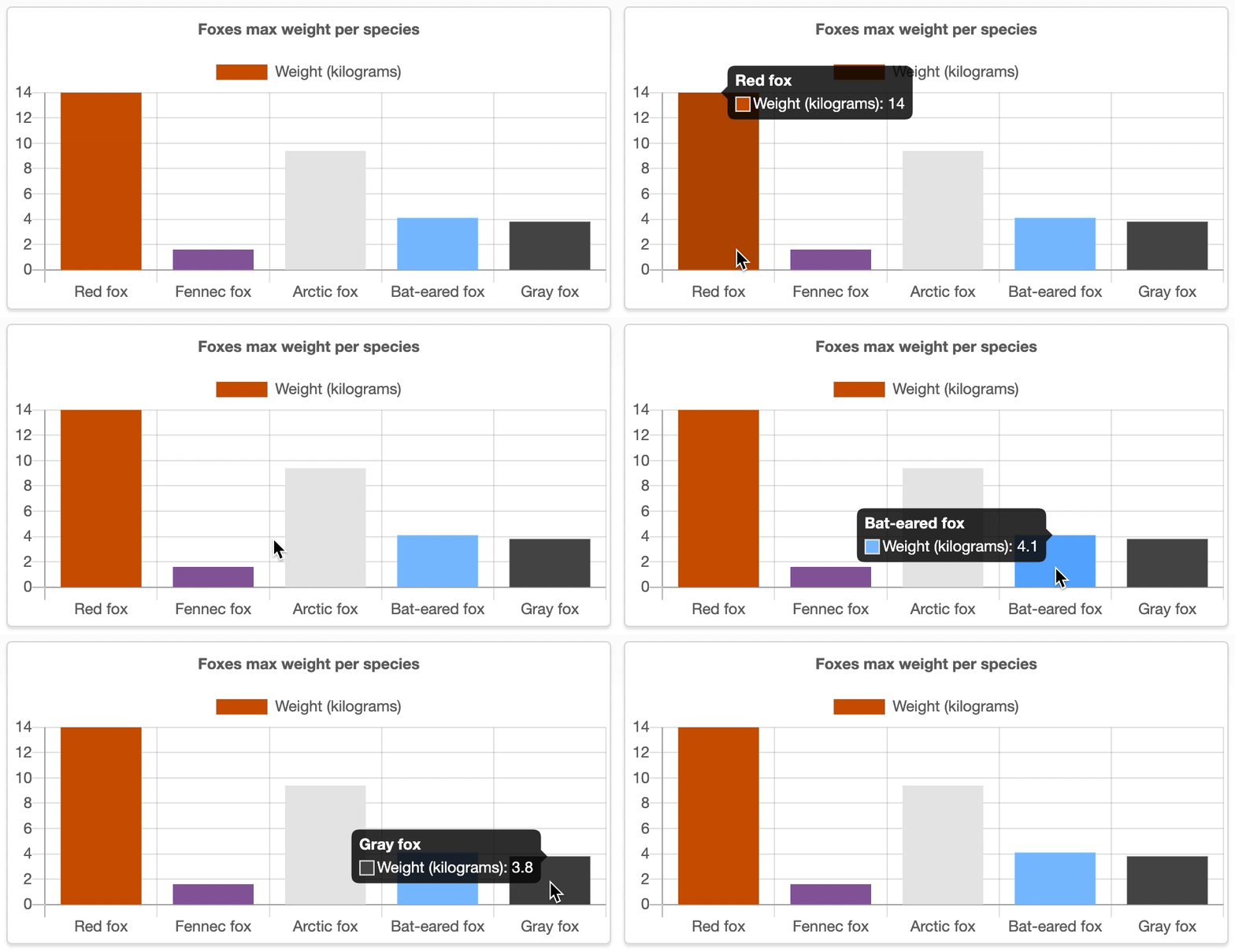
Data source: Wikipedia
 fox sfdc